Google Ads Complete Guide: How to Run Profitable Campaigns
What is Google Ads?
Google Ads (formerly Google AdWords) is the world’s largest online advertising platform. It allows businesses to display ads across Google Search, YouTube, Gmail, and millions of websites in the Google Display Network. With Google Ads, you only pay when someone clicks your ad — making it one of the most cost-effective advertising methods available.
Why Use Google Ads for Your Business?
Google processes over 8.5 billion searches per day. When potential customers are actively searching for your product or service, Google Ads puts your business right in front of them. Key benefits include:
- High intent traffic — people searching on Google are ready to buy
- Full budget control — set daily and monthly spending limits
- Measurable ROI — track every click, conversion and revenue
- Fast results — ads go live within hours, unlike SEO which takes months
- Precise targeting — by location, device, time, audience, and keywords
Types of Google Ads Campaigns
1. Search Campaigns
Text ads that appear on Google Search results when users search for specific keywords. Best for capturing high-intent buyers actively looking for your product.
2. Display Campaigns
Visual banner ads shown across 2+ million websites and apps in the Google Display Network. Excellent for brand awareness and remarketing.
3. Shopping Campaigns
Product listing ads that show your product image, price, and store name directly in search results. Essential for e-commerce businesses.
4. Video Campaigns (YouTube Ads)
Video ads shown before, during, or after YouTube videos. Great for brand storytelling and reaching large audiences.
5. Performance Max Campaigns
Google’s AI-powered campaign type that runs ads across all Google channels from a single campaign. Ideal for maximizing conversions.
How to Set Up a Google Ads Campaign
Step 1: Create Your Google Ads Account
Go to ads.google.com and sign up with your Google account. Set your billing information and preferred currency.
Step 2: Define Your Campaign Goal
Choose from goals like:
- Sales
- Leads
- Website traffic
- Brand awareness
Step 3: Keyword Research
Use Google Keyword Planner to find the right keywords. Focus on:
- High-intent keywords (buy, order, hire, get)
- Long-tail keywords with lower competition
- Negative keywords to exclude irrelevant traffic
Step 4: Write Compelling Ad Copy
Your ad has 3 headlines (30 chars each) and 2 descriptions (90 chars each). Best practices:
- Include your main keyword in the first headline
- Highlight a unique selling point (Free Shipping, 24/7 Support)
- Add a clear call-to-action (Shop Now, Get a Free Quote, Call Today)
Step 5: Set Your Bidding Strategy
Choose the right bidding strategy based on your goal:
- Target CPA — optimize for a specific cost per acquisition
- Target ROAS — optimize for return on ad spend
- Maximize Conversions — get the most conversions within budget
- Manual CPC — full manual control over bids
Step 6: Set Up Conversion Tracking
This is critical. Without conversion tracking, you cannot measure what’s working. Set up tracking for:
- Form submissions
- Phone calls
- Purchases
- Page views
Google Ads Optimization Tips
Quality Score Optimization
Google assigns a Quality Score (1-10) to each keyword based on:
- Expected click-through rate (CTR)
- Ad relevance
- Landing page experience
Higher Quality Score = lower costs + better ad positions.
Ad Extensions (Assets)
Always add ad extensions to increase your ad’s visibility and CTR:
- Sitelink extensions — link to specific pages
- Callout extensions — highlight features
- Call extensions — add your phone number
- Location extensions — show your address
Audience Targeting
Layer audiences on top of keyword targeting for better results:
- Remarketing audiences (previous visitors)
- Customer match (existing customer emails)
- Similar audiences (lookalikes of your best customers)
- In-market audiences (people actively researching your category)
A/B Testing
Continuously test different ad variations:
- Test different headlines and descriptions
- Try different landing pages
- Experiment with different bidding strategies
- Test broad vs. exact match keywords
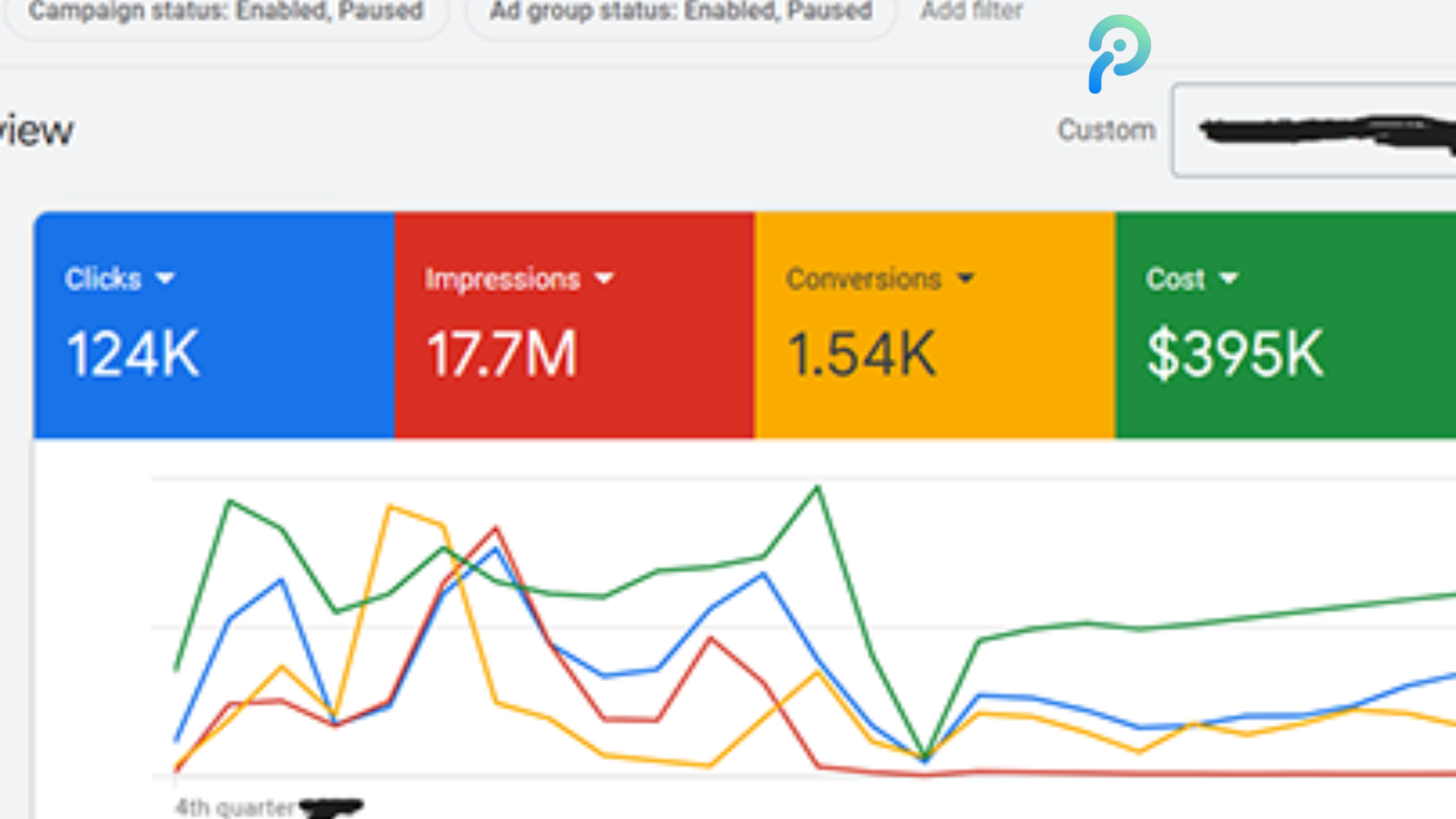
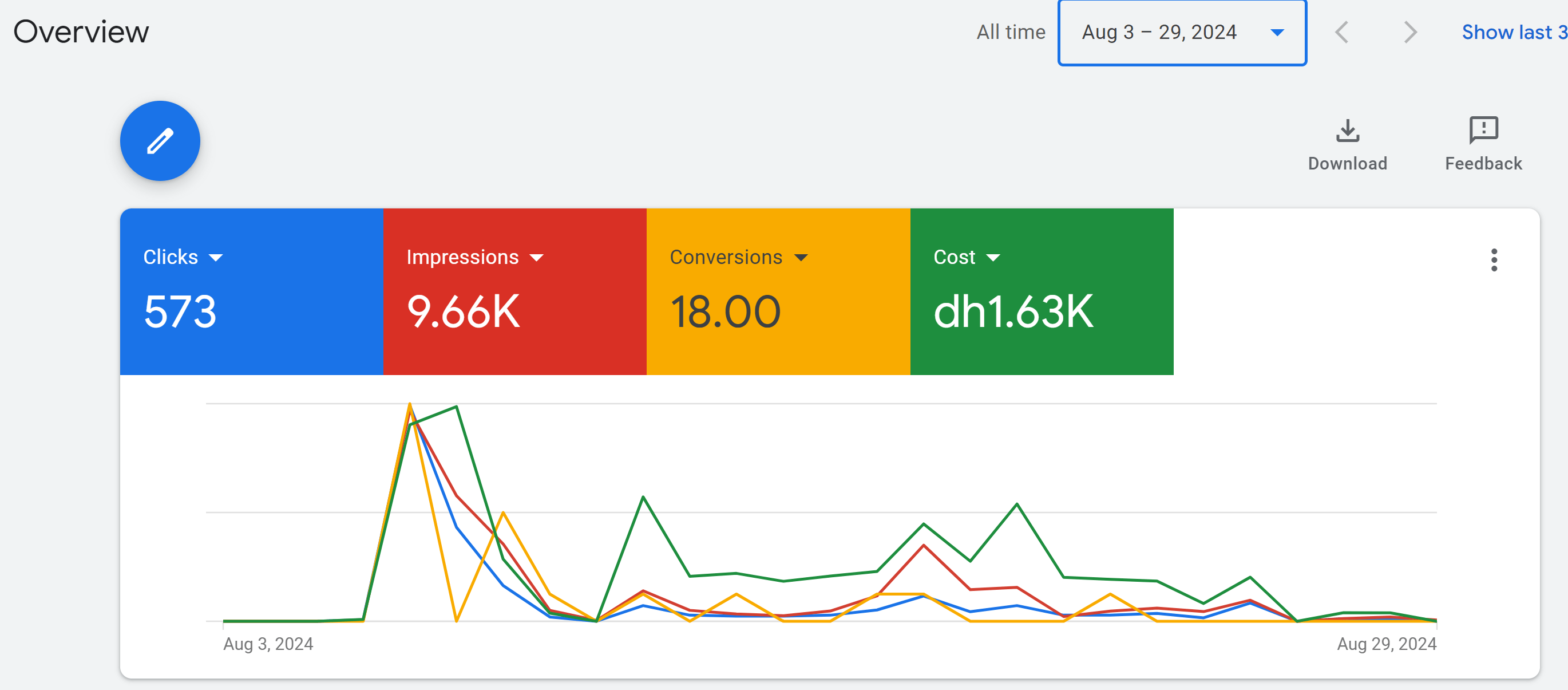
Real Campaign Results
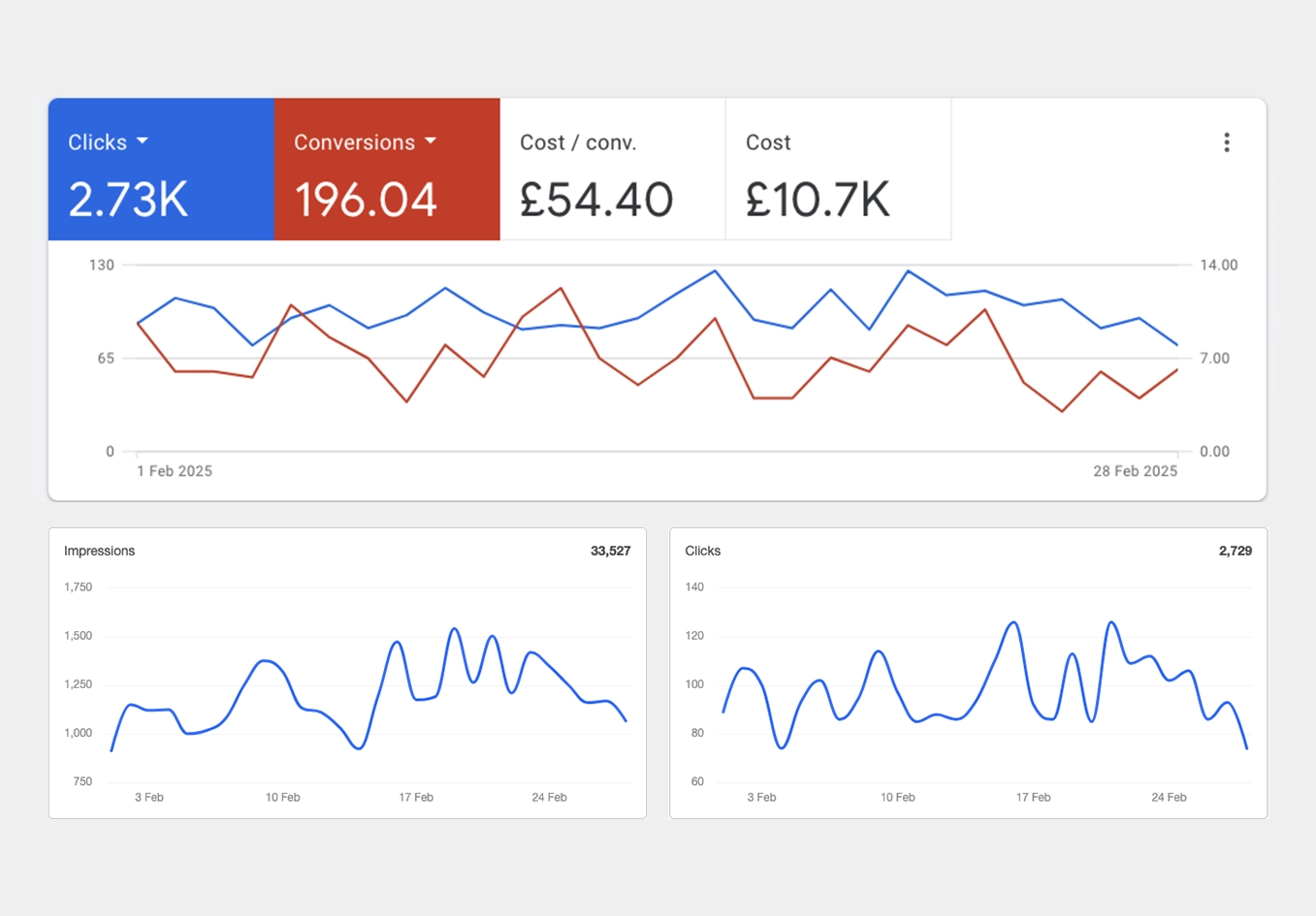
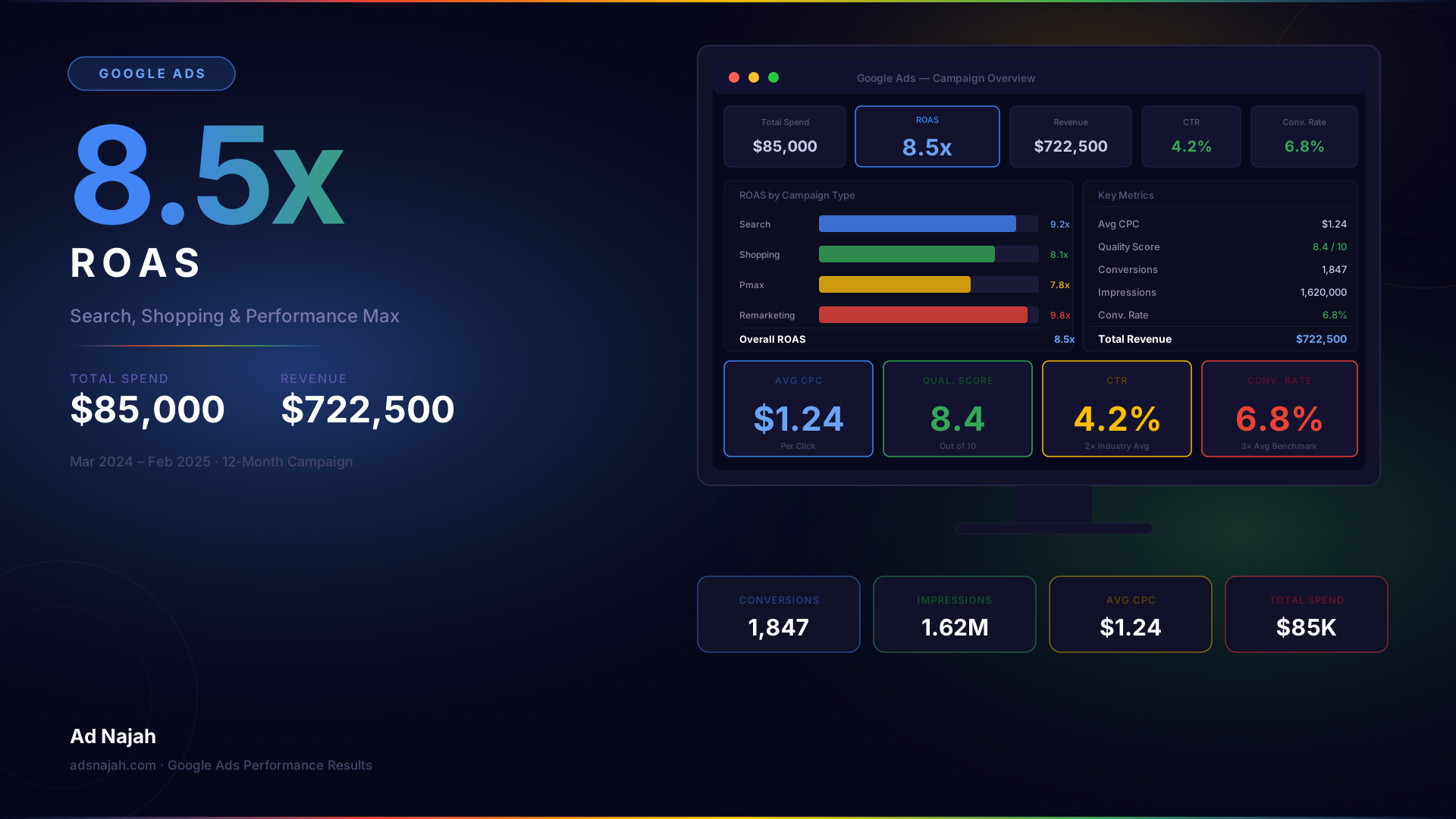
Here are results from actual Google Ads campaigns managed using proper optimization techniques:
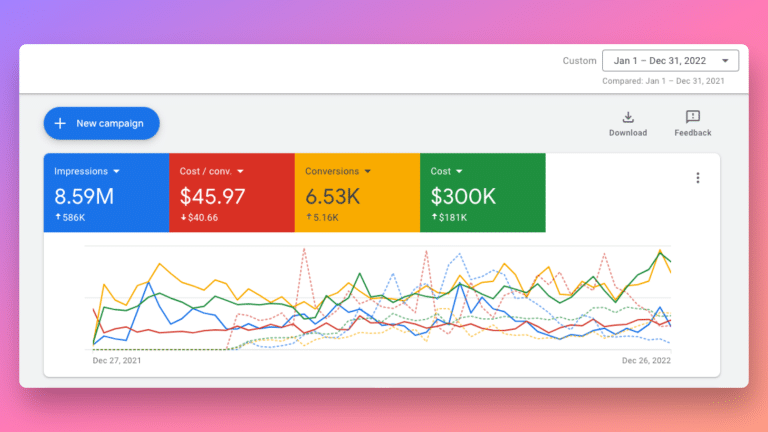
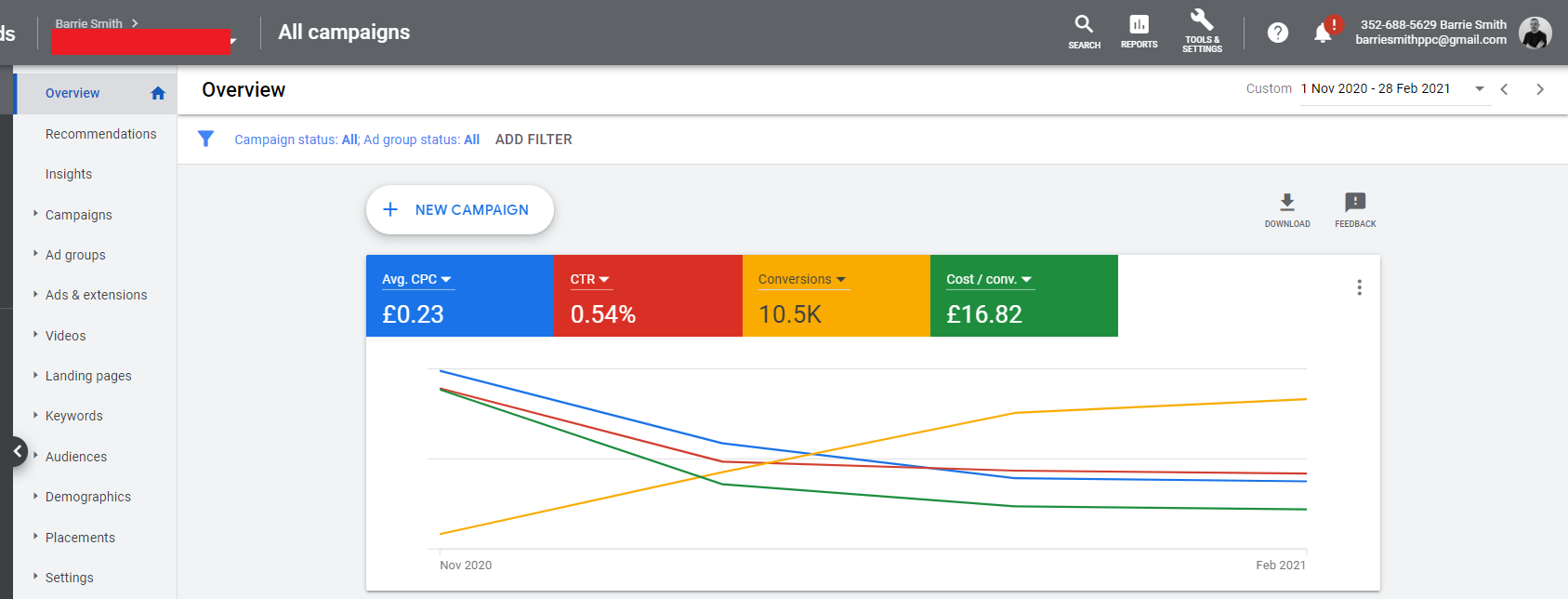
Key metrics to track:
- CTR (Click-Through Rate) — aim for 3-5%+ on Search
- Conversion Rate — industry average is 2-5%
- Cost Per Click (CPC) — varies by industry ($1-$10+)
- Return on Ad Spend (ROAS) — aim for 300-500%+
Common Google Ads Mistakes to Avoid
- Not using negative keywords — wastes budget on irrelevant searches
- Ignoring Quality Score — leads to higher CPCs
- Sending traffic to homepage — always use dedicated landing pages
- Not testing ad copy — run at least 3 ad variations per ad group
- Setting and forgetting — Google Ads requires weekly optimization
- Targeting too broadly — start narrow, then expand based on data
Conclusion
Google Ads is one of the most powerful tools for growing a business online. With the right strategy, targeting, and ongoing optimization, you can achieve excellent ROI and scale your business profitably. Start with a small budget, track everything, learn from the data, and scale what works.
Need help setting up and managing your Google Ads campaigns? Contact us today for a free consultation.
Related Post
Pinterest Ad...
Jun 20, 2024 04:00:00
TikTok Ads C...
Jun 15, 2024 04:00:00
LinkedIn Ads...
Jun 10, 2024 04:00:00
Meta Ads Com...
Jun 5, 2024 04:00:00
Google Ads C...
Jun 1, 2024 04:00:00